
Membership
ABOUT THIS RESOURCE
Description
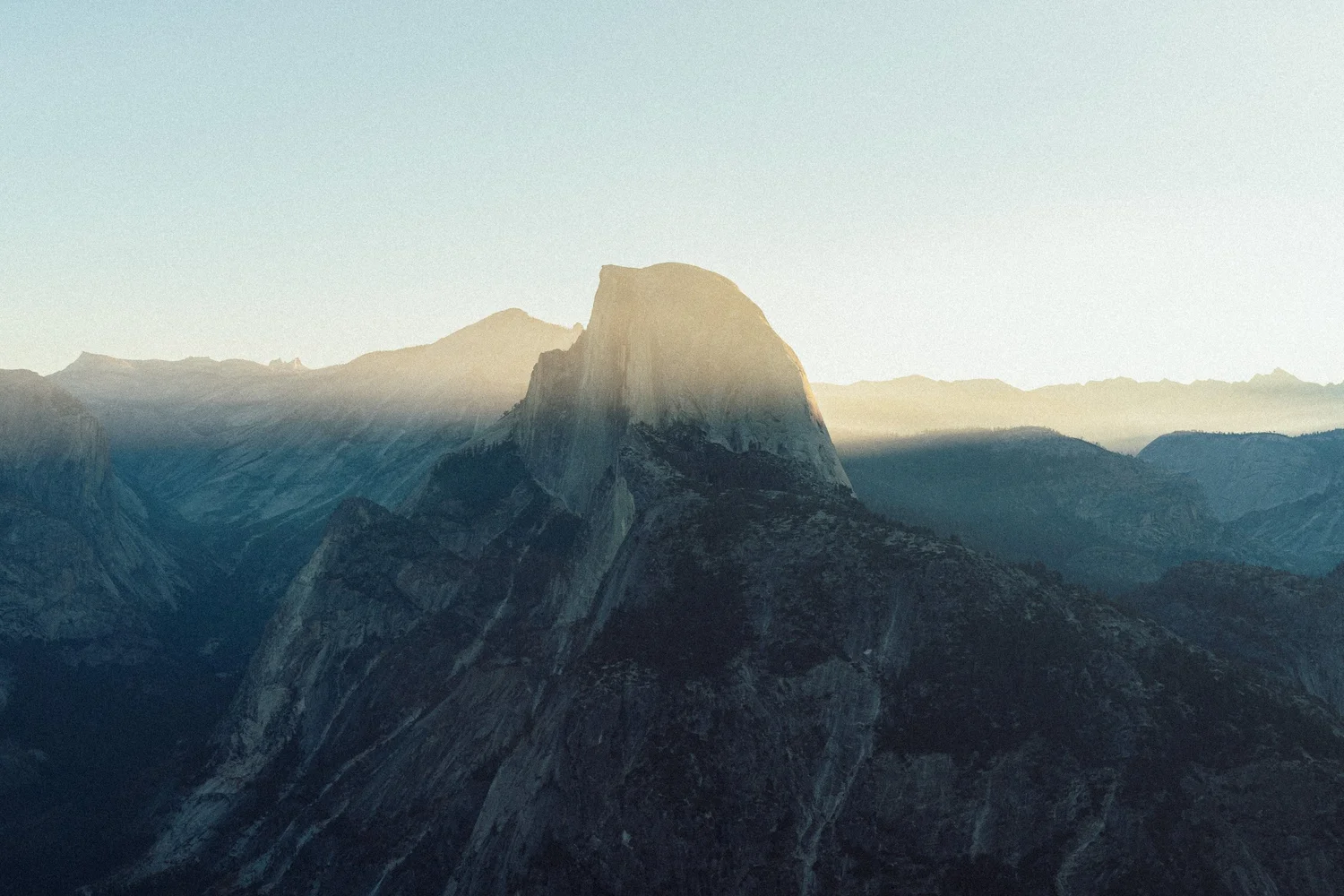
Foundations by Benj Villena is a collection of 4 Lightroom photo editing presets designed to establish the foundational tones and overall mood of a photograph before applying more detailed creative color grading.
Developed from the photographer's personal editing workflow, Foundations focuses on tonal adjustments rather than complete, heavily stylized color looks. The collection helps photographers build a balanced starting point for further adjustments to colors, contrast, and the overall visual atmosphere.
The creator emphasizes the importance of adjusting tones alongside colors to achieve a cohesive photographic result. With Foundations, users can establish an initial tonal structure and then refine their images according to their individual editing style.
WHAT'S INCLUDED
• 4 Base Tone Adjustment Presets
• 4 XMP Preset Files
• Original Tonal Adjustments by Benj Villena
• Presets for Establishing Base Looks and Moods
• Adjustable Settings for Further Photo Editing
PRESET COLLECTION
01. Clean_01.xmp
• Base Tone Adjustment Preset
• Part of the Original Foundations Collection
• Provides a Starting Point for Creative Photo Editing
02. Clean_02.xmp
• Alternative Base Tone Adjustment Preset
• Designed for Establishing an Initial Image Look
• Can Be Refined Through Additional Editing
03. Clean_03_Emerald_Base.xmp
• Emerald Base Preset
• Part of the Creator's Foundational Tone Collection
• Supports Further Creative Color Adjustments
04. Clean_04_Emerald_Basic.xmp
• Emerald Basic Preset
• Additional Foundational Editing Option
• Adjustable According to the Original Photograph
KEY FEATURES
• 4 Original XMP Presets
• Created by Photographer Benj Villena
• Focused on Foundational Tonal Adjustments
• Helps Establish an Initial Image Mood
• Designed to Support Further Creative Color Grading
• Useful for Building a Consistent Photo Editing Workflow
• Adjustable Editing Parameters
• Can Be Combined with Additional Manual Color Adjustments
APPLICATIONS
• Photography Color Grading
• Portrait Photography
• Street Photography
• Travel Photography
• Lifestyle Photography
• Everyday Photography
• Creative Photo Editing
• Photography Portfolio Editing
• Establishing Consistent Base Tones Across Photo Series
SOFTWARE COMPATIBILITY
• Adobe Lightroom Classic
• Adobe Lightroom Versions Supporting XMP Presets
• Adobe Photoshop with Compatible Adobe Camera Raw Support
TECHNICAL INFORMATION
• Product: benj™ | Foundations
• Creator: Benj Villena
• Brand: benj™ Photography
• Asset Type: Photo Editing Presets
• Number of Presets: 4
• File Format: XMP
• Primary Function: Base Tone Adjustments
• Category: Lightroom Presets / Photography Color Grading
RECOMMENDED WORKFLOW
• Import the XMP Files into Compatible Editing Software
• Open the Photograph to Be Edited
• Apply a Suitable Foundations Preset
• Review the Overall Tonal Balance and Image Mood
• Adjust Exposure, Contrast and White Balance as Needed
• Continue Refining Colors and Other Editing Parameters
• Export the Finished Photograph
IMPORTANT NOTES
Foundations is a collection of foundational photo editing presets, not a complete cinematic LUT pack, standalone plugin, or photography course.
The four presets are intended to establish a base tonal look that can be refined through further editing.
The publisher does not provide detailed technical settings or color characteristics for each preset. Final results depend on the original image, camera profile, exposure, white balance, and lighting conditions.
Usage and redistribution of the original preset files are subject to the copyright holder's applicable terms.
Developed from the photographer's personal editing workflow, Foundations focuses on tonal adjustments rather than complete, heavily stylized color looks. The collection helps photographers build a balanced starting point for further adjustments to colors, contrast, and the overall visual atmosphere.
The creator emphasizes the importance of adjusting tones alongside colors to achieve a cohesive photographic result. With Foundations, users can establish an initial tonal structure and then refine their images according to their individual editing style.
WHAT'S INCLUDED
• 4 Base Tone Adjustment Presets
• 4 XMP Preset Files
• Original Tonal Adjustments by Benj Villena
• Presets for Establishing Base Looks and Moods
• Adjustable Settings for Further Photo Editing
PRESET COLLECTION
01. Clean_01.xmp
• Base Tone Adjustment Preset
• Part of the Original Foundations Collection
• Provides a Starting Point for Creative Photo Editing
02. Clean_02.xmp
• Alternative Base Tone Adjustment Preset
• Designed for Establishing an Initial Image Look
• Can Be Refined Through Additional Editing
03. Clean_03_Emerald_Base.xmp
• Emerald Base Preset
• Part of the Creator's Foundational Tone Collection
• Supports Further Creative Color Adjustments
04. Clean_04_Emerald_Basic.xmp
• Emerald Basic Preset
• Additional Foundational Editing Option
• Adjustable According to the Original Photograph
KEY FEATURES
• 4 Original XMP Presets
• Created by Photographer Benj Villena
• Focused on Foundational Tonal Adjustments
• Helps Establish an Initial Image Mood
• Designed to Support Further Creative Color Grading
• Useful for Building a Consistent Photo Editing Workflow
• Adjustable Editing Parameters
• Can Be Combined with Additional Manual Color Adjustments
APPLICATIONS
• Photography Color Grading
• Portrait Photography
• Street Photography
• Travel Photography
• Lifestyle Photography
• Everyday Photography
• Creative Photo Editing
• Photography Portfolio Editing
• Establishing Consistent Base Tones Across Photo Series
SOFTWARE COMPATIBILITY
• Adobe Lightroom Classic
• Adobe Lightroom Versions Supporting XMP Presets
• Adobe Photoshop with Compatible Adobe Camera Raw Support
TECHNICAL INFORMATION
• Product: benj™ | Foundations
• Creator: Benj Villena
• Brand: benj™ Photography
• Asset Type: Photo Editing Presets
• Number of Presets: 4
• File Format: XMP
• Primary Function: Base Tone Adjustments
• Category: Lightroom Presets / Photography Color Grading
RECOMMENDED WORKFLOW
• Import the XMP Files into Compatible Editing Software
• Open the Photograph to Be Edited
• Apply a Suitable Foundations Preset
• Review the Overall Tonal Balance and Image Mood
• Adjust Exposure, Contrast and White Balance as Needed
• Continue Refining Colors and Other Editing Parameters
• Export the Finished Photograph
IMPORTANT NOTES
Foundations is a collection of foundational photo editing presets, not a complete cinematic LUT pack, standalone plugin, or photography course.
The four presets are intended to establish a base tonal look that can be refined through further editing.
The publisher does not provide detailed technical settings or color characteristics for each preset. Final results depend on the original image, camera profile, exposure, white balance, and lighting conditions.
Usage and redistribution of the original preset files are subject to the copyright holder's applicable terms.
Copyright Information
EditBox does not claim ownership of the files shared on this platform. Content is collected from publicly available sources, forums, and third-party websites.
EditBox does not sell ownership or copyright
Membership fees support the operation and maintenance of the platform. Access does not transfer ownership or commercial licensing rights. Users should review the original licensing terms before using any resource commercially.
Related resources
View all
Membership

Membership

Membership

Membership
Membership

Membership

Membership

Membership

Membership
Membership
Membership
Featured services
View all
Google AI Pro 5 TB + Gemini Pro — 1 Year
Temporarily suspended
Google AI Pro 5 TB and Gemini Pro for 12 months, with support and warranty throughout the subscription period.
Google AI Pro 2 TB + Gemini Pro — 1 Year
Google AI Pro 2 TB and Gemini Pro for 12 months as a family-group member.
Google AI Pro 5 TB + Gemini Pro - 18 Months
Official Google AI Pro 5 TB and Gemini Pro for 18 months.