
Membership
ABOUT THIS RESOURCE
Description
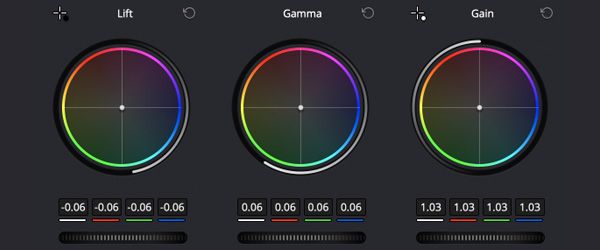
Creating Color Looks & Grades in DaVinci Resolve is a focused color grading training session from Film Editing Pro that explores how to analyze, build, and apply cinematic color looks in DaVinci Resolve. The course is taught by Leon Barnard, a Certified DaVinci Resolve Trainer, and is presented as a recording of an approximately three-hour live training session.
Rather than focusing only on software controls, the training explores the thinking behind a “look”: what creates the visual identity of a film, how Hollywood looks can be analyzed, and how a proper node structure can be used to develop your own grades.
WHAT YOU'LL LEARN
• Understand the role of color grading and creative looks
• Analyze color looks from Hollywood films
• Identify the factors that influence a film's visual style
• Build a proper node structure in DaVinci Resolve
• Develop creative looks from your own footage
• Create Cool, Warm, and Teal & Orange looks
• Build a Bleach Bypass look
• Create Day for Night grades and other styles
• Develop looks through a structured grading process rather than relying only on presets or LUTs
COURSE CONTENT
• Introduction to color grading
• What is a Look?
• Analyzing Hollywood Looks
• Factors that Affect Looks
• Setting Up Proper Node Structure
• Creating Looks in Your Footage
• Practice and review
• Wrap-Up
• Student Q&A
COURSE DETAILS
• Training Provider: Film Editing Pro
• Trainer: Leon Barnard
• Certified DaVinci Resolve Trainer
• Duration: Approximately 3 hours
• Software: DaVinci Resolve
• Format: Recorded live training session
• Topics: Color Grading, Look Development, and Cinematic Color
WHO IT'S FOR
• Video editors learning color grading in DaVinci Resolve
• Colorists looking to strengthen their look-development workflow
• Editors interested in analyzing and recreating cinematic color
• Resolve users ready to explore node structures and creative grading in greater depth
Rather than focusing only on software controls, the training explores the thinking behind a “look”: what creates the visual identity of a film, how Hollywood looks can be analyzed, and how a proper node structure can be used to develop your own grades.
WHAT YOU'LL LEARN
• Understand the role of color grading and creative looks
• Analyze color looks from Hollywood films
• Identify the factors that influence a film's visual style
• Build a proper node structure in DaVinci Resolve
• Develop creative looks from your own footage
• Create Cool, Warm, and Teal & Orange looks
• Build a Bleach Bypass look
• Create Day for Night grades and other styles
• Develop looks through a structured grading process rather than relying only on presets or LUTs
COURSE CONTENT
• Introduction to color grading
• What is a Look?
• Analyzing Hollywood Looks
• Factors that Affect Looks
• Setting Up Proper Node Structure
• Creating Looks in Your Footage
• Practice and review
• Wrap-Up
• Student Q&A
COURSE DETAILS
• Training Provider: Film Editing Pro
• Trainer: Leon Barnard
• Certified DaVinci Resolve Trainer
• Duration: Approximately 3 hours
• Software: DaVinci Resolve
• Format: Recorded live training session
• Topics: Color Grading, Look Development, and Cinematic Color
WHO IT'S FOR
• Video editors learning color grading in DaVinci Resolve
• Colorists looking to strengthen their look-development workflow
• Editors interested in analyzing and recreating cinematic color
• Resolve users ready to explore node structures and creative grading in greater depth
Copyright Information
EditBox does not claim ownership of the files shared on this platform. Content is collected from publicly available sources, forums, and third-party websites.
EditBox does not sell ownership or copyright
Membership fees support the operation and maintenance of the platform. Access does not transfer ownership or commercial licensing rights. Users should review the original licensing terms before using any resource commercially.
Related resources
View all
Membership

Membership

Membership
Membership
Membership
Membership
Membership
Membership

Membership

Membership

Membership
Featured services
View all
Google AI Pro 5 TB + Gemini Pro - 1 Year
Google AI Pro 5 TB and Gemini Pro for 12 months, with support and warranty throughout the subscription period.
Google AI Pro 2 TB + Gemini Pro - 1 Year
Google AI Pro 2 TB and Gemini Pro for 12 months as a family-group member.
Google AI Pro 5 TB + Gemini Pro - 18 Months
Official Google AI Pro 5 TB and Gemini Pro for 18 months.