
Membership
ABOUT THIS RESOURCE
Description
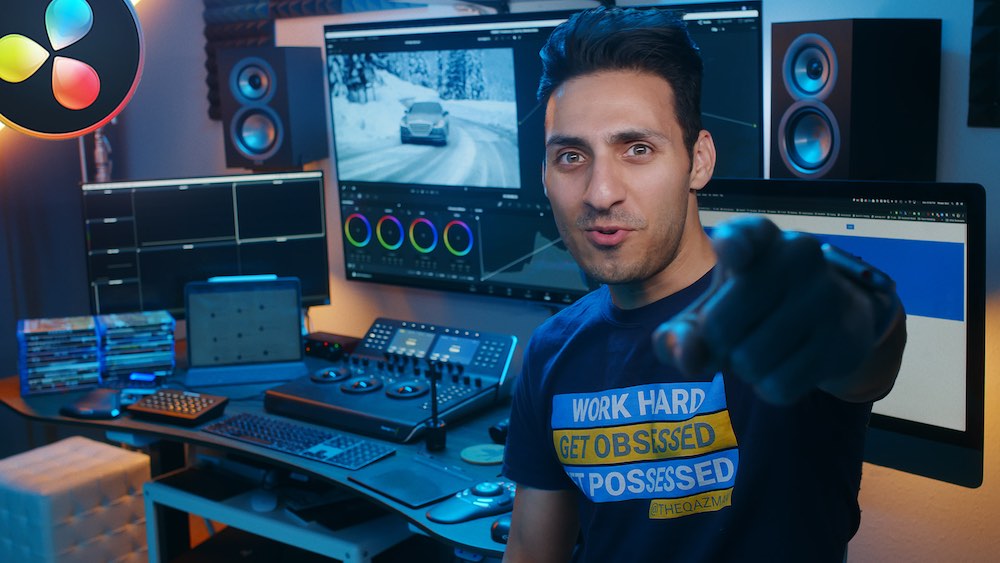
Full-Time Creator Class is a comprehensive program for videographers and content creators who want to develop their personal style, improve their production and editing skills, work with better clients, and turn their creative work into a full-time career. Taught by Jeremiah Davis, the course connects gear, editing, production, and business into a complete workflow from initial concept through final delivery.
The program contains 71 videos and more than 14 hours of content across six core modules. In addition to the lessons, students get Jeremiah's complete editing process, seven full screen-recorded editing walkthroughs, and three behind-the-scenes videos from real brand productions.
WHAT YOU'LL LEARN
• Identify and develop your personal creative style
• Understand the difference between style and niche
• Choose cameras, lenses, drones, and stabilizers for your work
• Understand camera settings, picture profiles, and resolutions
• Find music and build effective sound design
• Follow complete editing workflows from footage to finished video
• Work with color correction and advanced post-production tools
• Develop transitions that fit your own editing style
• Export videos effectively for different platforms
• Understand Run & Gun, Traditional, and Hybrid productions
• Move through concept, pitching, pre-production, production, and post
• Find and approach clients through email and social media
• Price your work, upsell services, and develop multiple income streams
COURSE CONTENT
MODULE 1 – INTRODUCTION
Course orientation, the Transparency Promise, and an introduction to finding your creative style.
MODULE 2 – DEVELOPING YOUR STYLE
Build a Goal Road Map, understand Style vs. Niche, and complete exercises designed to clarify your creative direction.
MODULE 3 – REVIEWING THE BASICS
Cameras, lenses, drones, stabilizers, storage, camera settings, picture profiles, resolutions, music, sound design, and editing software.
MODULE 4 – EDITING DEEP DIVE
Full editing walkthroughs, color correction, Magic Bullet, sound design, transitions, exporting, collaboration workflows, Rory Kramer editing, and a Rory Kramer x TOBK collaboration edit for The Chainsmokers.
MODULE 5 – FULL PRODUCTION PROCESS
A complete breakdown of Run & Gun, Traditional, and Hybrid production workflows, covering concept development, pitching, pre-production, shooting, editing, and post-production.
MODULE 6 – BUSINESS DEVELOPMENT
Client outreach, email and DM pitching, real winning pitches, pricing, multiple income streams, upselling, identifying opportunities, and building a sustainable creative business.
PRACTICE & RESOURCES
• 7 full screen-recorded editing walkthroughs
• 3 behind-the-scenes brand production videos
• Jeremiah's complete editing process
• Pitch deck templates
• Budget sheets
• Storyboards and shot lists
• Style Development Worksheet
• Pitch-to-delivery production workflows
• Interviews with Rory Kramer and Blake Pinsker
COURSE DETAILS
• Instructor: Jeremiah Davis
• 71 videos
• 14+ hours of content
• 6 core modules
• Topics: Style Development, Gear, Editing, Production & Business
• Format: Online / Self-paced
• Course access is provided immediately after enrollment
WHO IT'S FOR
• Videographers looking to develop a recognizable personal style
• Content creators improving both shooting and editing skills
• Freelancers looking to work with stronger clients and brands
• Editors interested in complete real-world editing workflows
• Creators who want to understand both production and business
• Videographers working toward a full-time creative career
The program contains 71 videos and more than 14 hours of content across six core modules. In addition to the lessons, students get Jeremiah's complete editing process, seven full screen-recorded editing walkthroughs, and three behind-the-scenes videos from real brand productions.
WHAT YOU'LL LEARN
• Identify and develop your personal creative style
• Understand the difference between style and niche
• Choose cameras, lenses, drones, and stabilizers for your work
• Understand camera settings, picture profiles, and resolutions
• Find music and build effective sound design
• Follow complete editing workflows from footage to finished video
• Work with color correction and advanced post-production tools
• Develop transitions that fit your own editing style
• Export videos effectively for different platforms
• Understand Run & Gun, Traditional, and Hybrid productions
• Move through concept, pitching, pre-production, production, and post
• Find and approach clients through email and social media
• Price your work, upsell services, and develop multiple income streams
COURSE CONTENT
MODULE 1 – INTRODUCTION
Course orientation, the Transparency Promise, and an introduction to finding your creative style.
MODULE 2 – DEVELOPING YOUR STYLE
Build a Goal Road Map, understand Style vs. Niche, and complete exercises designed to clarify your creative direction.
MODULE 3 – REVIEWING THE BASICS
Cameras, lenses, drones, stabilizers, storage, camera settings, picture profiles, resolutions, music, sound design, and editing software.
MODULE 4 – EDITING DEEP DIVE
Full editing walkthroughs, color correction, Magic Bullet, sound design, transitions, exporting, collaboration workflows, Rory Kramer editing, and a Rory Kramer x TOBK collaboration edit for The Chainsmokers.
MODULE 5 – FULL PRODUCTION PROCESS
A complete breakdown of Run & Gun, Traditional, and Hybrid production workflows, covering concept development, pitching, pre-production, shooting, editing, and post-production.
MODULE 6 – BUSINESS DEVELOPMENT
Client outreach, email and DM pitching, real winning pitches, pricing, multiple income streams, upselling, identifying opportunities, and building a sustainable creative business.
PRACTICE & RESOURCES
• 7 full screen-recorded editing walkthroughs
• 3 behind-the-scenes brand production videos
• Jeremiah's complete editing process
• Pitch deck templates
• Budget sheets
• Storyboards and shot lists
• Style Development Worksheet
• Pitch-to-delivery production workflows
• Interviews with Rory Kramer and Blake Pinsker
COURSE DETAILS
• Instructor: Jeremiah Davis
• 71 videos
• 14+ hours of content
• 6 core modules
• Topics: Style Development, Gear, Editing, Production & Business
• Format: Online / Self-paced
• Course access is provided immediately after enrollment
WHO IT'S FOR
• Videographers looking to develop a recognizable personal style
• Content creators improving both shooting and editing skills
• Freelancers looking to work with stronger clients and brands
• Editors interested in complete real-world editing workflows
• Creators who want to understand both production and business
• Videographers working toward a full-time creative career
Copyright Information
EditBox does not claim ownership of the files shared on this platform. Content is collected from publicly available sources, forums, and third-party websites.
EditBox does not sell ownership or copyright
Membership fees support the operation and maintenance of the platform. Access does not transfer ownership or commercial licensing rights. Users should review the original licensing terms before using any resource commercially.
Related resources
View all
Membership

Membership

Membership
Membership
Membership
Membership
Membership
Membership

Membership

Membership

Membership
Featured services
View all
Google AI Pro 5 TB + Gemini Pro - 1 Year
Google AI Pro 5 TB and Gemini Pro for 12 months, with support and warranty throughout the subscription period.
Google AI Pro 2 TB + Gemini Pro - 1 Year
Google AI Pro 2 TB and Gemini Pro for 12 months as a family-group member.
Google AI Pro 5 TB + Gemini Pro - 18 Months
Official Google AI Pro 5 TB and Gemini Pro for 18 months.