
Membership
ABOUT THIS RESOURCE
Description
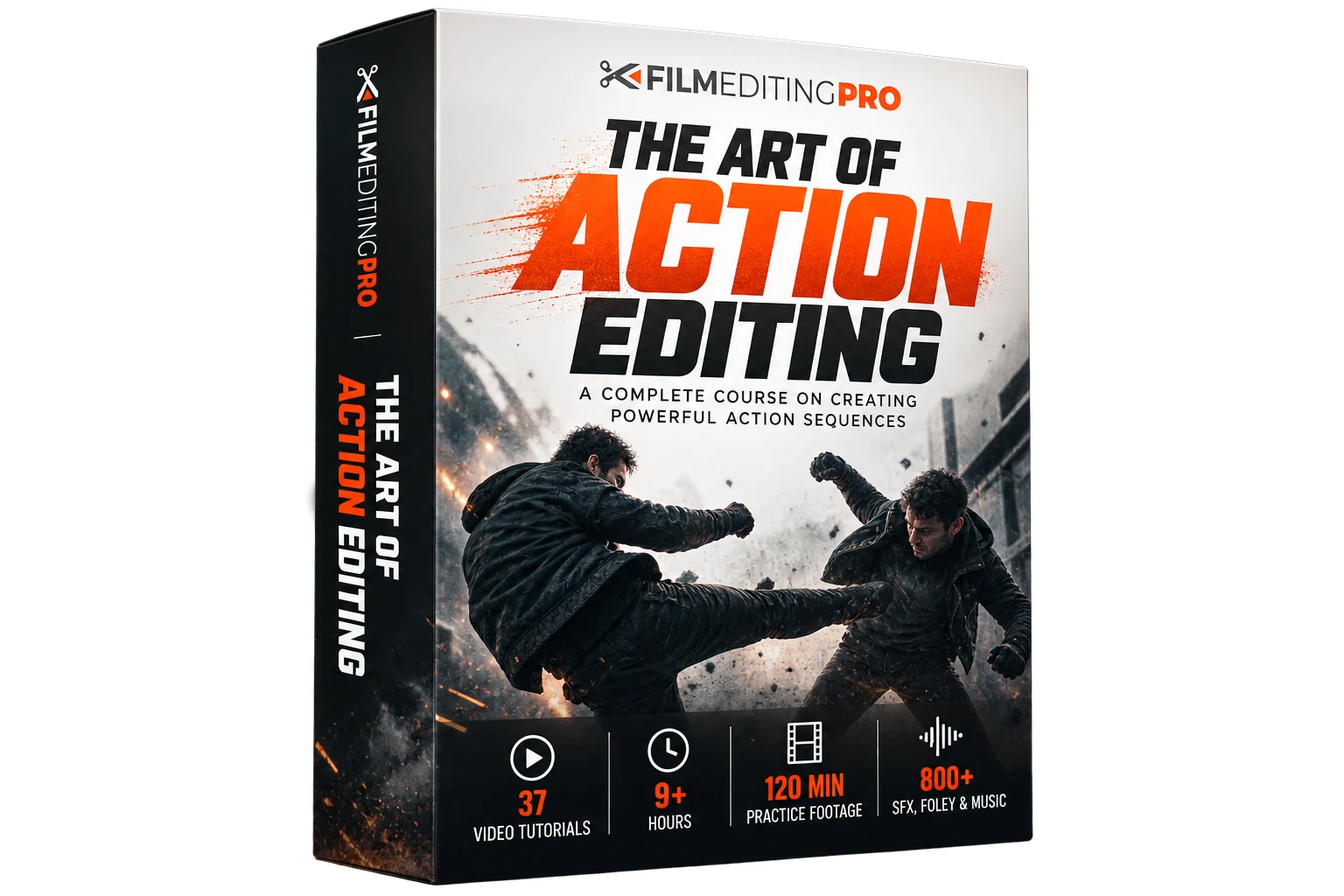
The Art of Action Editing is an in-depth Film Editing Pro course dedicated to the craft of cutting action sequences using workflows and techniques drawn from professional Hollywood editors. Rather than simply teaching fast cuts and effects, the course explores storytelling, pacing, footage organization, take selection, music, sound design, and the complete process of transforming raw footage into a polished action sequence.
The course contains 37 detailed video tutorials with more than nine hours of step-by-step training. Students receive approximately 120 minutes of professional practice footage, 28 guided assignments, and a library of more than 800 sound effects, Foley elements, and music cues for building a complete fight scene.
WHAT YOU'LL LEARN
• Understand the structure and storytelling behind action sequences
• Organize large amounts of footage using a professional workflow
• Review dailies and select effective takes
• Develop a rough cut into a polished fine cut
• Control rhythm, timing, pacing, and tension
• Cut fight scenes that remain clear while maintaining energy
• Use cuts, camera movement, and screen direction to guide the viewer
• Edit music around the exact structure of a scene
• Build sound design with ambience, Foley, and sound effects
• Layer audio elements to increase the weight and impact of action
• Apply creative editing techniques to enhance movement and impact
• Take an action scene from raw footage through picture, music, and sound
COURSE CONTENT
The course begins with the core principles of action editing and project preparation. Students learn how to organize footage, structure their projects, and manage large amounts of material using workflows suited to professional editing environments.
It then moves into analyzing footage and constructing an action sequence. The training follows the creative editing process through shot and performance selection, rough cutting, fine cutting, pacing, and final polishing.
Sound design receives extensive attention, exploring how ambience, Foley, impacts, sound effects, and music can communicate information and intensity beyond the visuals. These elements are layered together to enhance movement, physical impact, and the spatial character of a scene.
The techniques are ultimately applied in a hands-on fight-scene project using professionally shot footage, allowing students to experience the workflow from raw dailies through a finished sequence.
PRACTICE & RESOURCES
• Approximately 120 minutes of HD practice footage
• Approximately 23 GB of downloadable footage
• 28 homework assignments
• 800+ sound effects, Foley elements, and music cues
• Music stems for hands-on editing
• Printable Quick Reference Guides
• The Creative Editing Blueprint PDF
• Professional footage for a complete fight-scene exercise
COURSE DETAILS
• Training Provider: Film Editing Pro
• 37 video tutorials
• 9+ hours of training
• 1080p HD video
• Level: Intermediate
• Format: Self-paced
• Topics: Action Editing, Storytelling, Pacing, Music & Sound Design
• Software-independent – techniques can be used with virtually any editing software
WHO IT'S FOR
• Video editors looking to improve their action-editing skills
• Filmmakers learning how to construct fight scenes from raw footage
• Editors developing stronger rhythm, pacing, and storytelling
• Editors interested in professional footage-organization workflows
• Creators looking to make better use of music, Foley, and sound design
• Editors with foundational skills ready for intermediate creative training
The course contains 37 detailed video tutorials with more than nine hours of step-by-step training. Students receive approximately 120 minutes of professional practice footage, 28 guided assignments, and a library of more than 800 sound effects, Foley elements, and music cues for building a complete fight scene.
WHAT YOU'LL LEARN
• Understand the structure and storytelling behind action sequences
• Organize large amounts of footage using a professional workflow
• Review dailies and select effective takes
• Develop a rough cut into a polished fine cut
• Control rhythm, timing, pacing, and tension
• Cut fight scenes that remain clear while maintaining energy
• Use cuts, camera movement, and screen direction to guide the viewer
• Edit music around the exact structure of a scene
• Build sound design with ambience, Foley, and sound effects
• Layer audio elements to increase the weight and impact of action
• Apply creative editing techniques to enhance movement and impact
• Take an action scene from raw footage through picture, music, and sound
COURSE CONTENT
The course begins with the core principles of action editing and project preparation. Students learn how to organize footage, structure their projects, and manage large amounts of material using workflows suited to professional editing environments.
It then moves into analyzing footage and constructing an action sequence. The training follows the creative editing process through shot and performance selection, rough cutting, fine cutting, pacing, and final polishing.
Sound design receives extensive attention, exploring how ambience, Foley, impacts, sound effects, and music can communicate information and intensity beyond the visuals. These elements are layered together to enhance movement, physical impact, and the spatial character of a scene.
The techniques are ultimately applied in a hands-on fight-scene project using professionally shot footage, allowing students to experience the workflow from raw dailies through a finished sequence.
PRACTICE & RESOURCES
• Approximately 120 minutes of HD practice footage
• Approximately 23 GB of downloadable footage
• 28 homework assignments
• 800+ sound effects, Foley elements, and music cues
• Music stems for hands-on editing
• Printable Quick Reference Guides
• The Creative Editing Blueprint PDF
• Professional footage for a complete fight-scene exercise
COURSE DETAILS
• Training Provider: Film Editing Pro
• 37 video tutorials
• 9+ hours of training
• 1080p HD video
• Level: Intermediate
• Format: Self-paced
• Topics: Action Editing, Storytelling, Pacing, Music & Sound Design
• Software-independent – techniques can be used with virtually any editing software
WHO IT'S FOR
• Video editors looking to improve their action-editing skills
• Filmmakers learning how to construct fight scenes from raw footage
• Editors developing stronger rhythm, pacing, and storytelling
• Editors interested in professional footage-organization workflows
• Creators looking to make better use of music, Foley, and sound design
• Editors with foundational skills ready for intermediate creative training
Copyright Information
EditBox does not claim ownership of the files shared on this platform. Content is collected from publicly available sources, forums, and third-party websites.
EditBox does not sell ownership or copyright
Membership fees support the operation and maintenance of the platform. Access does not transfer ownership or commercial licensing rights. Users should review the original licensing terms before using any resource commercially.
Related resources
View all
Membership

Membership

Membership
Membership
Membership
Membership
Membership
Membership

Membership

Membership

Membership
Featured services
View all
Google AI Pro 5 TB + Gemini Pro - 1 Year
Google AI Pro 5 TB and Gemini Pro for 12 months, with support and warranty throughout the subscription period.
Google AI Pro 2 TB + Gemini Pro - 1 Year
Google AI Pro 2 TB and Gemini Pro for 12 months as a family-group member.
Google AI Pro 5 TB + Gemini Pro - 18 Months
Official Google AI Pro 5 TB and Gemini Pro for 18 months.